Termux commands
that actually work.
Most Termux guides online are copied, outdated, or were never tested. Guide To Termux is the opposite: every command, fix and recipe is run on a real device before it ships — and stamped with the date it last worked.

$pkg update && pkg upgrade
Refreshing package lists… done.
$pkg install python
Installed python-3.12 · verified today
$python -m http.server 8080
Serving HTTP on 0.0.0.0 port 8080 …
$
The guide you followed was probably wrong.
Packages get renamed. Mirrors go stale. Blog posts and old apps rot and nobody checks them. You paste a command, it errors, and you have no idea whether the fix online is any fresher.
“Unable to locate package”
Almost always a stale mirror, not a missing package — but every guide tells you something different.
Dead links everywhere
The app this replaces had a majority of its links broken because nobody re-checked them.
Ads over answers
Competitors bury a two-line fix under full-screen ads and a “premium” upsell.
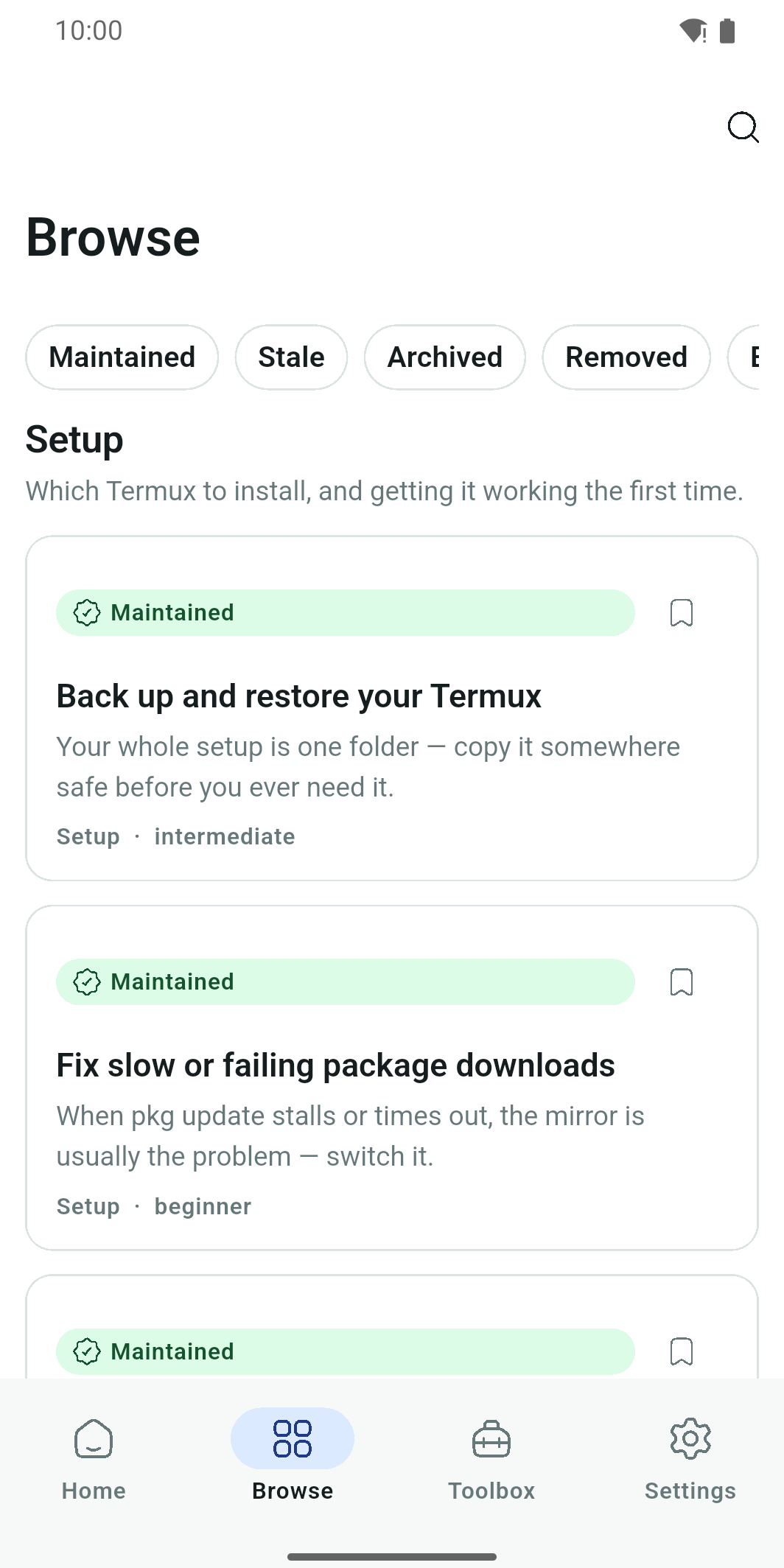
A freshness badge on every recipe.
Each recipe carries a status you can trust at a glance — Maintained, Stale, or Archived — plus the date it was last run on hardware. If it is in the app, it worked. When the world changes, the badge changes.
Built to be the reference you keep.
Not a link dump. A maintained, offline library that respects your time and your screen.
Fully offline
The entire library is bundled in the app. No account, no sign-up, no connection required from the very first launch.
No ads. No paywall.
No interstitials, no “premium” lock on real content. Being visibly fair is the whole point.
Knows your Termux
Detects whether you have the Google Play or F-Droid / GitHub build and only shows controls that actually work on it.
One-tap run & copy
Send a command straight to Termux, or copy it, without retyping a single character.
Fixes that hold up
The errors everyone hits — mirrors, repositories, keyring, slow pkg update — with fixes that are tested, not guessed.
Real projects
Serve a folder over your network, back up and restore Termux, run a desktop over VNC, connect shared storage, and more.
Security Lab
An optional, clearly-gated track on how common attacks work and how to defend — for systems you own or may test.
Your Toolbox
Save favourite recipes, keep your own command snippets, and jump back to what you viewed recently.
Light, dark & bilingual
A clean modern interface in both themes, in English and Nepali, responsive from phone to tablet.
Real screens. Real commands.
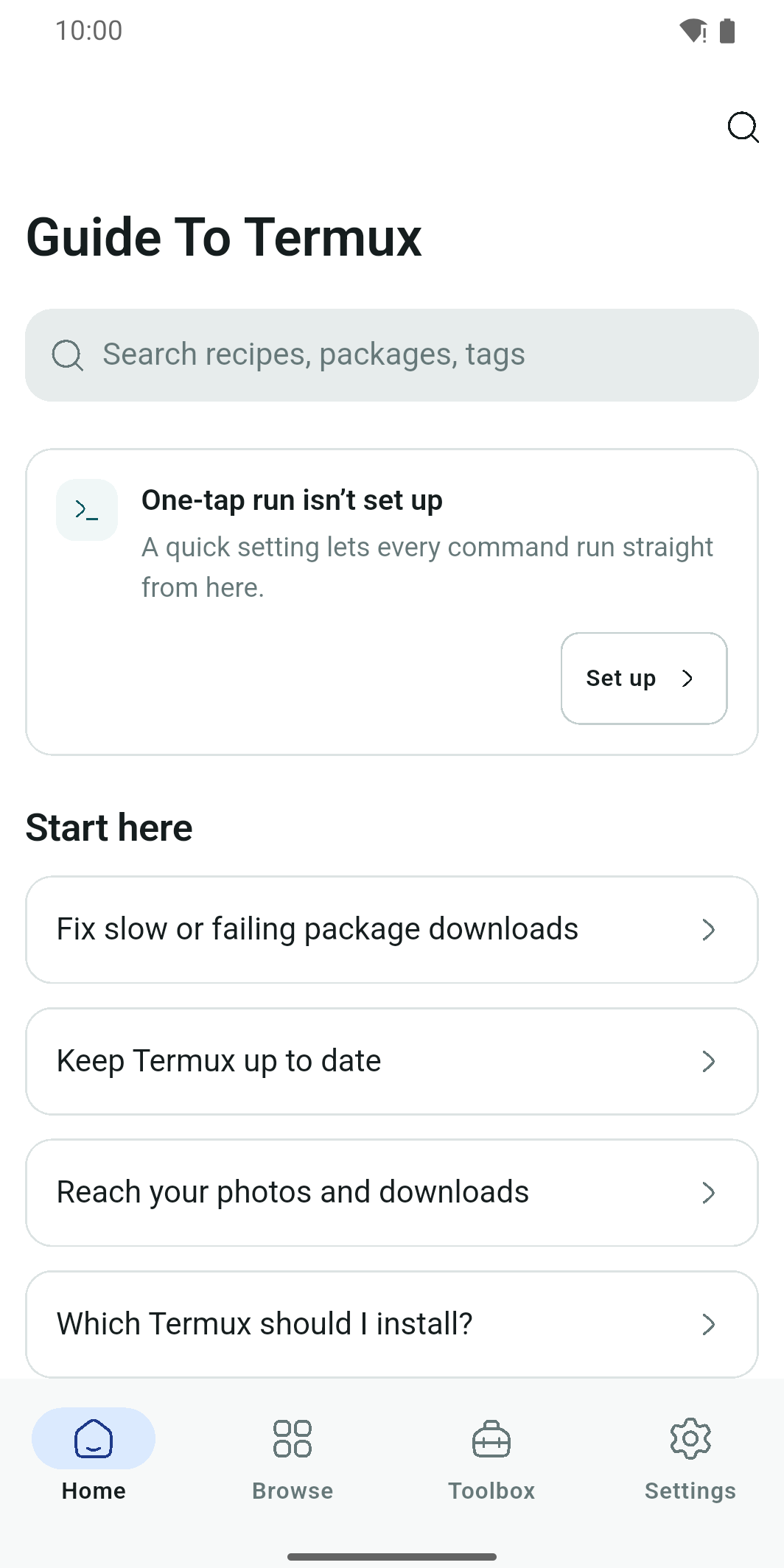
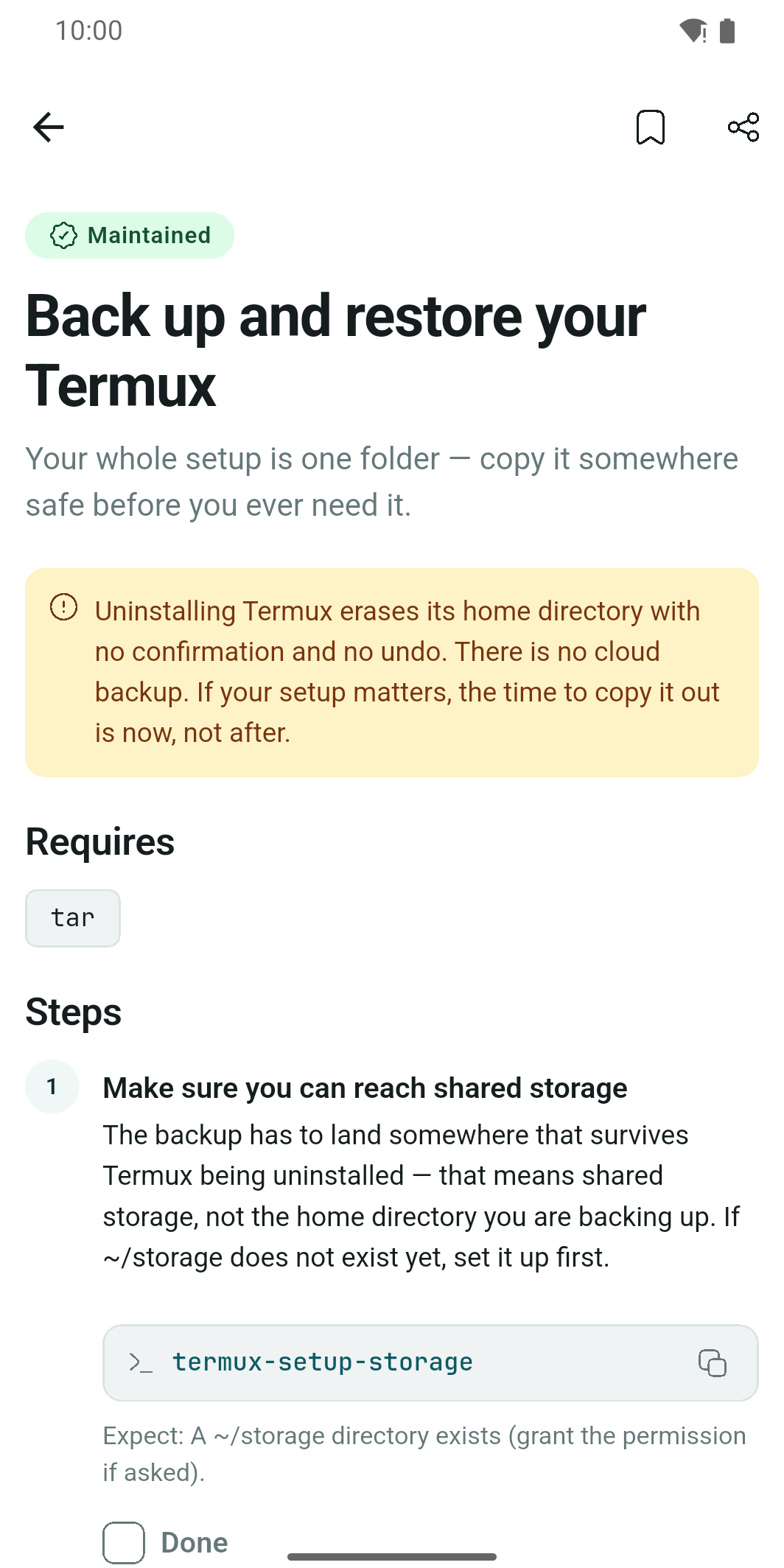
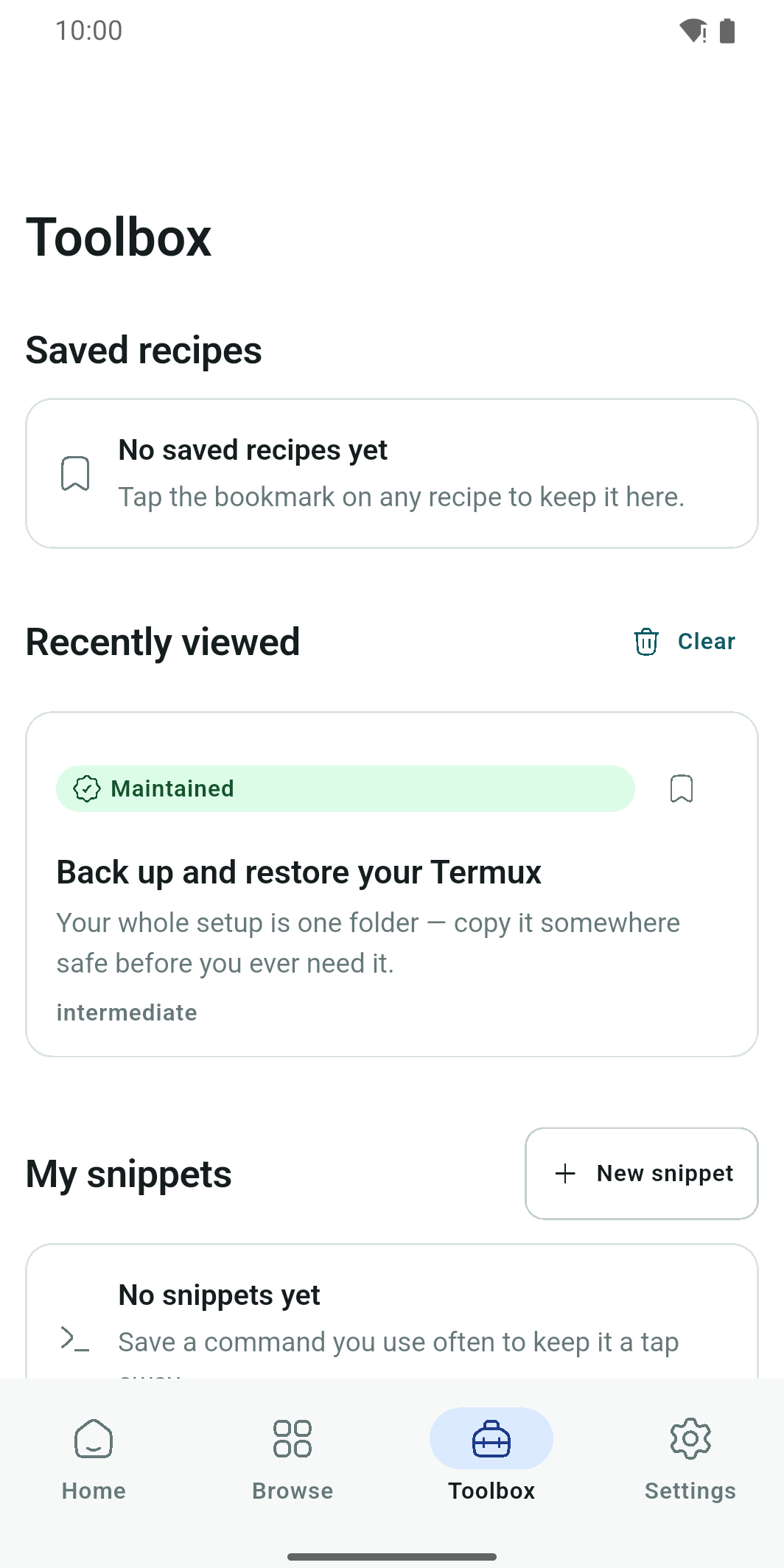
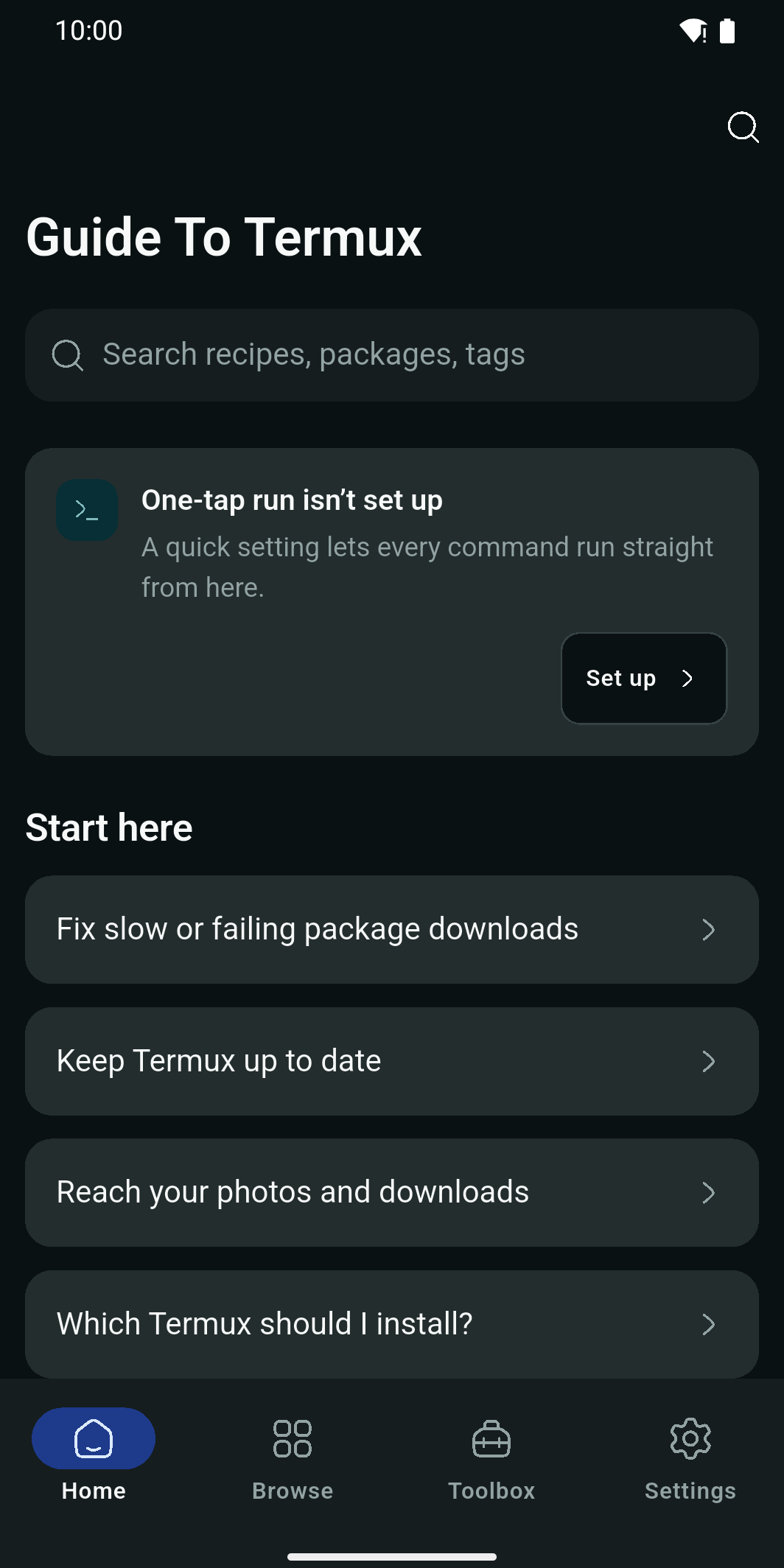
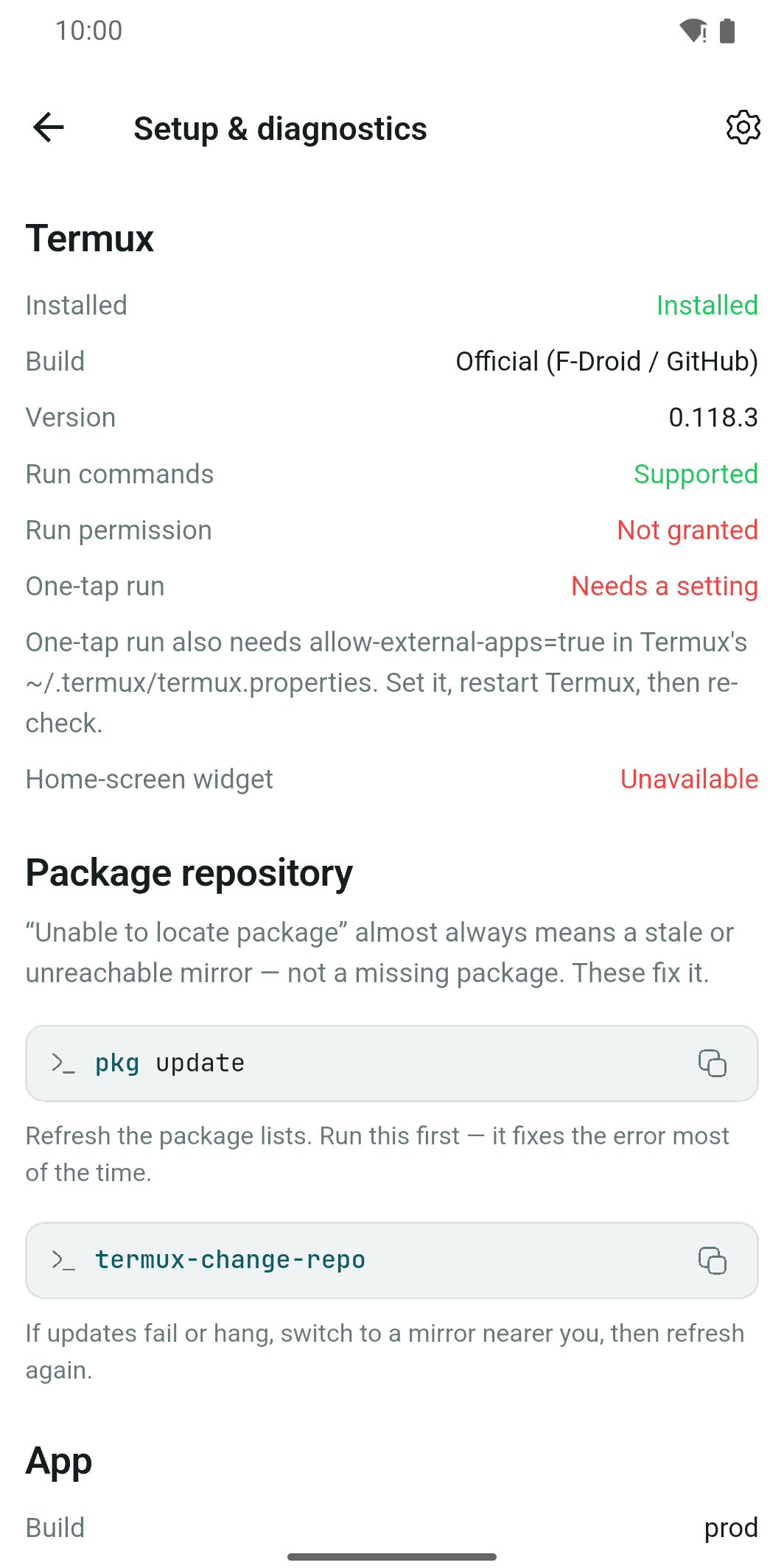
It probes your Termux — never guesses.
The Google Play and F-Droid builds of Termux are different codebases with different capabilities. Guide To Termux checks what yours can actually do — run-command permission, one-tap run, the home-screen widget — and never shows you a button that can't work on your device.
From error to fixed in three taps.
Install Termux
Grab the official Termux from Google Play or F-Droid. The app tells you which build fits you.
Open Guide To Termux
Browse verified recipes and fixes — all offline, no account, nothing to unlock.
Run it
Copy a command or send it straight to Termux with one tap, and follow the dated, tested steps.
No ads. No paywall. No catch.
Predatory monetization is the top complaint against every competitor. Guide To Termux is deliberately the opposite — honest, offline, ad-free and kept current. The content is the product, and it stays free.
Is Guide To Termux free?+
Yes — completely. There are no ads, no subscription, and no content locked behind a paywall.
Do I need an internet connection to use Guide To Termux?+
No. The whole library of Termux commands and recipes is bundled in the app and works fully offline from the first launch. There is no account to create.
Is Guide To Termux the same as the Termux app?+
No. Termux is a separate, free, open-source terminal emulator you install yourself from Google Play or F-Droid / GitHub. Guide To Termux is an independent companion app that helps you use it — it is not affiliated with or endorsed by the Termux project.
What does “verified” mean in Guide To Termux?+
Every recipe is actually run on a real Android device and stamped with the date it last worked. Recipes carry a Maintained, Stale or Archived badge so you always know their state.
Which Termux build do I need — Google Play or F-Droid?+
Either works. The app detects whether you have the Google Play or F-Droid / GitHub build of Termux and adapts — it only offers actions your build can perform.
What is the Security Lab in Guide To Termux?+
An optional, clearly-gated learning track explaining how common attacks work and how to defend against them — intended for systems you own or are explicitly allowed to test.
Does Guide To Termux collect my data?+
The app works without an account and stores your recipes and snippets on your device. It uses privacy-respecting analytics and crash reporting to keep the app working, and shows no ads. See the Privacy Policy for details.
Stop guessing. Start running.
Join 140,000+ people using Guide To Termux — the fastest way to a Termux command that actually works.
Android · free · offline · 219 verified recipes